Stores
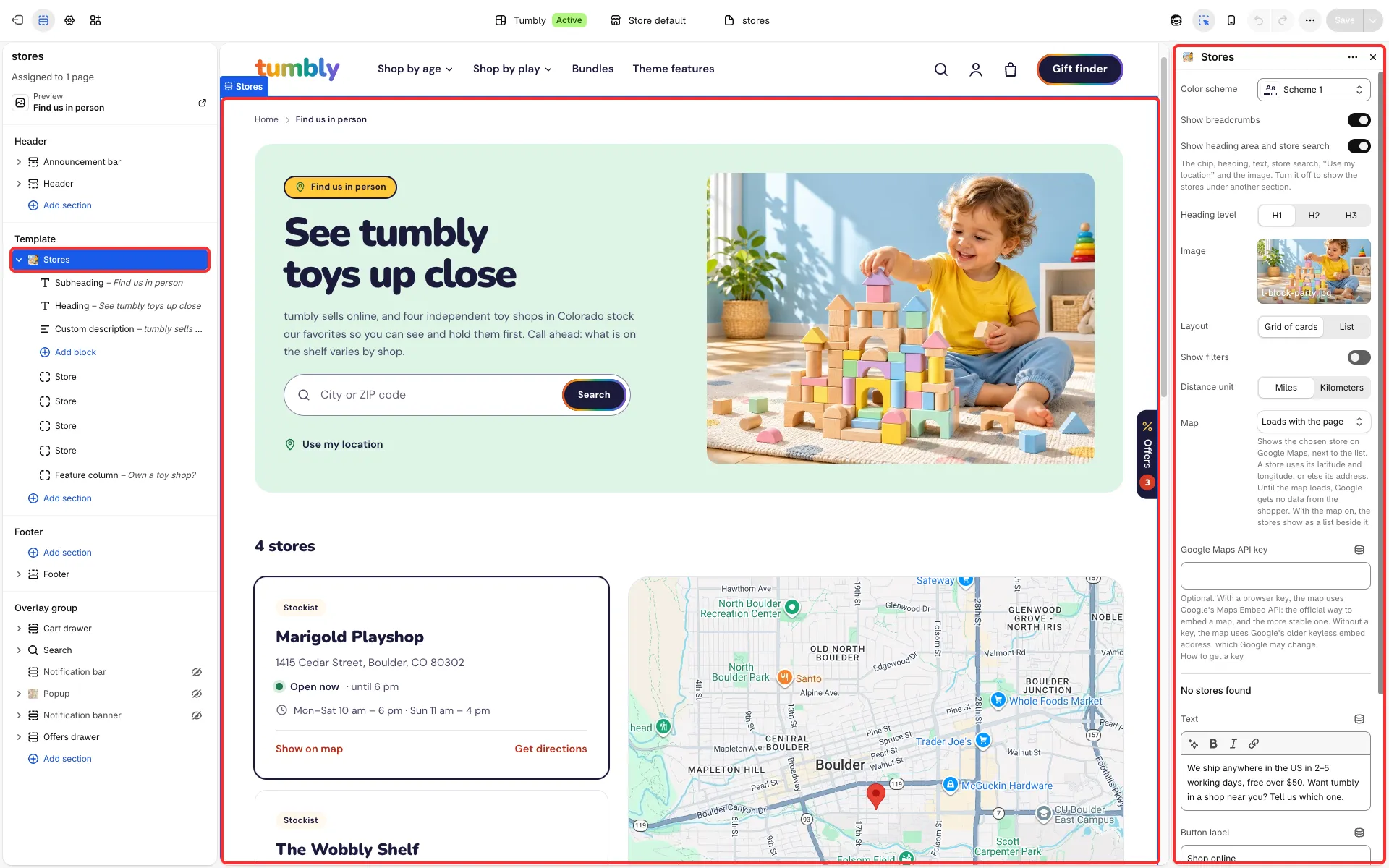
A store finder: a list of your shops and stockists with search, opening hours and an optional Google map. Use it on a “Find us” or “Stockists” page.
Main settings
Section titled “Main settings”- Show heading area and store search, Show breadcrumbs, Heading level and Image.
- Layout: Grid of cards or List.
- Show filters: buttons for all stores, your own stores, stockists and stores with pickup.
- Distance unit: miles or kilometers.
- Map: Off, Loads when the shopper asks (Google gets nothing from the shopper until they press the button) or Loads with the page.
- Google Maps API key: optional, see below.
- No stores found group: the text and button when a search finds nothing.
- Each Store block: Kind (Our own store or Stockist), Name, Address, Opening hours, Time zone, Pickup information, Phone, Directions link, Latitude and Longitude.
Set it up
Section titled “Set it up”- Add a Store block for each location. Search looks through store names and addresses.
- Set each store’s Time zone for its “Open now” line. The sample stores use US time zones, so set yours and replace their sample hours.
- Add Latitude and Longitude to turn on Use my location, which sorts stores by distance; stores without them are not sorted by distance.
Good to know
Section titled “Good to know”- The map shows the chosen store beside the list (above it on narrower screens). A store is mapped by its latitude and longitude, or else its address; stores without either stay in the list only. If Google can’t be reached, the list goes back to its normal layout.
- A Google Maps API key (a browser key for the Maps Embed API) makes the map more stable. Without a key, the map uses Google’s older keyless embed address, which Google may change.
- A link to the page with
?q=and a place (for example/pages/stores?q=Brooklyn) opens it with that search done. - In Tumbly the map is on and loads with the page; replace the four sample stores, or set Map to Off.