Review wall
Review cards with stars, names and the reviewed product, next to a score summary. Use it on the home page and under products.
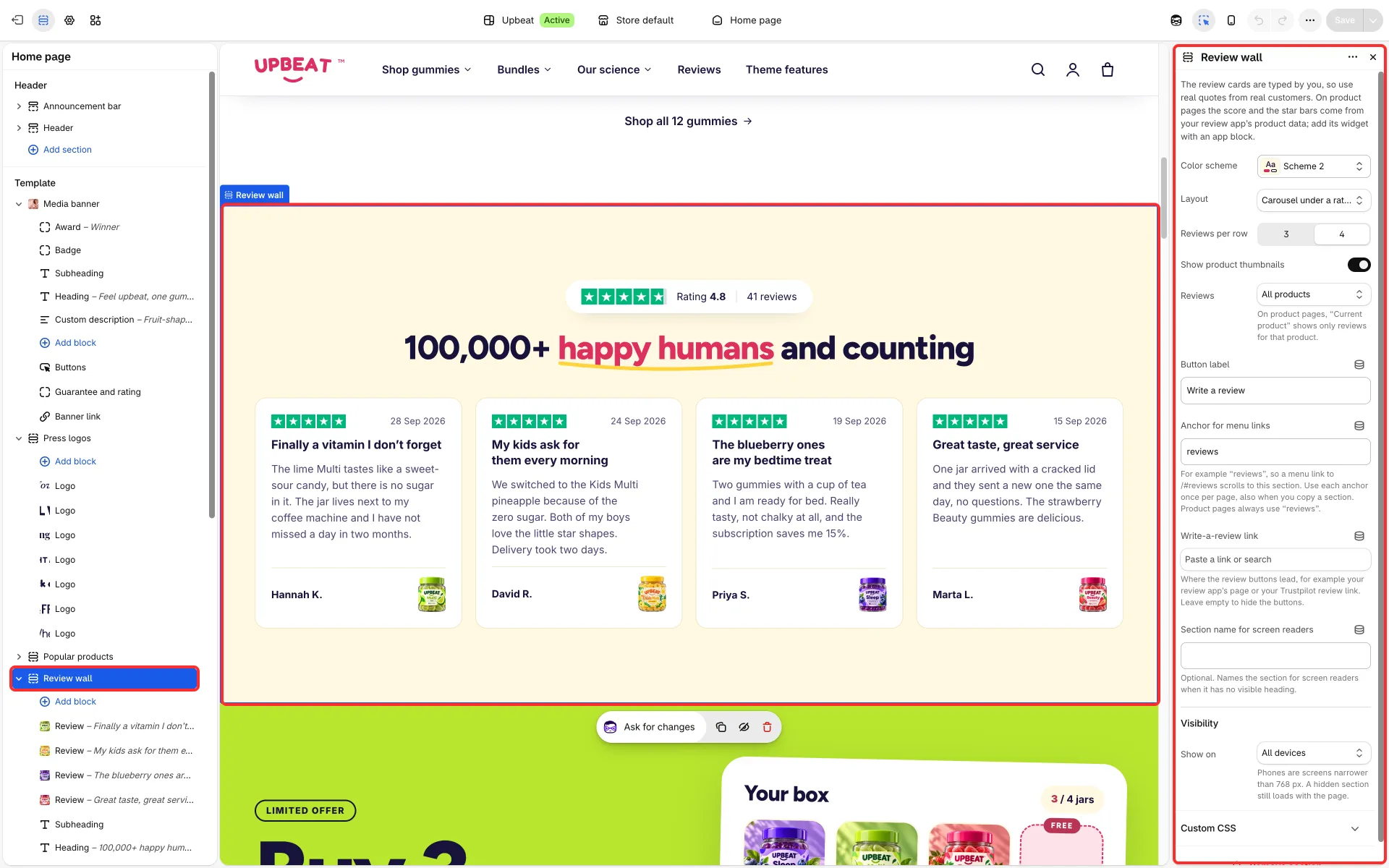
Main settings
Section titled “Main settings”- Layout: Carousel under a rating bar, Grid beside a summary, Carousel beside a summary or Masonry wall under a score bar.
- Reviews: All products, or Current product on product pages.
- Reviews per row, Show product thumbnails and Reviews shown before “show more”.
- Write-a-review link and its Button label; More reviews link label and Link.
- Anchor for menu links: for example
reviews, so a menu link such as/#reviewsscrolls to the section. - Each Review block: Stars, Date, Heading, Text, Customer name, Label under the name, Country, Show a “Verified” mark, Photo and Reviewed product.
- Fixed Review summary block: Site name, Average rating, Number of reviews, Show a larger rating and Show a bar per star rating.
Good to know
Section titled “Good to know”- The cards show reviews you type into the section, so use real quotes from real customers. Until you replace them, cards read “Customer name” with a sample star rating and a placeholder sentence.
- Turn on Show a “Verified” mark only when your review app or order records confirm each review.
- On product pages the score and the star bars come from your reviews app’s product data. See Ratings and reviews.
- The write-a-review buttons appear only when you enter a Write-a-review link, for example your reviews app’s page or your Trustpilot review link. The theme does not collect or publish reviews itself.