Ratings and reviews
Where star ratings and review cards come from, and how to show your reviews app on the product page.
Main settings
Section titled “Main settings”- Rating block (product panel): Link (default
#reviews, the anchor of the review wall). - Theme settings Show product rating (see Product cards) and Show rating in a section’s Product card block turn on stars on cards.
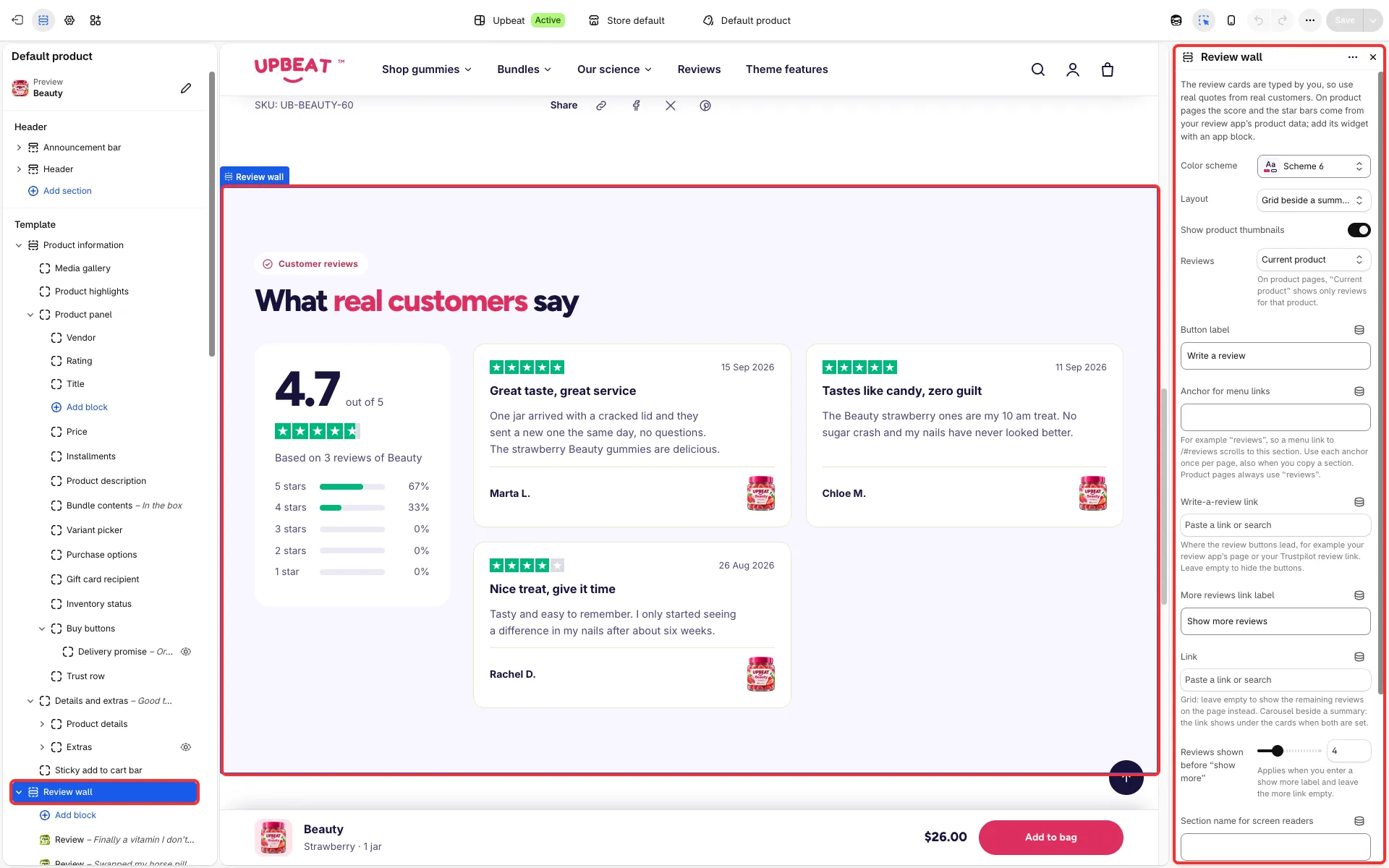
- Review wall section: Anchor for menu links and Write-a-review link (see Review wall).
Good to know
Section titled “Good to know”- Stars come from Shopify’s standard
reviews.ratingandreviews.rating_countmetafields, which most reviews apps fill. The Rating block shows when the product has a rating and at least one review. - The review bars use the
custom.review_splitmetafield (counts of 5, 4, 3, 2 and 1 star reviews, for example[40, 12, 3, 1, 1]); without it the bars stay hidden. - Review wall shows review cards you type into the section: use real quotes from real customers. To show your reviews app’s widget, add it with an app block.
- Write-a-review buttons appear only when you enter a Write-a-review link. The theme does not collect or publish reviews itself.
- Comments (article page block): with moderation on, comments whose author name exactly matches the Staff name setting show the store’s mark and a “Staff” badge. Check such comments before you approve them.