Volume pricing
Shows a lower price per item for larger quantities above the add button, for example 2 for 10 % off and 3 for 15 % off.
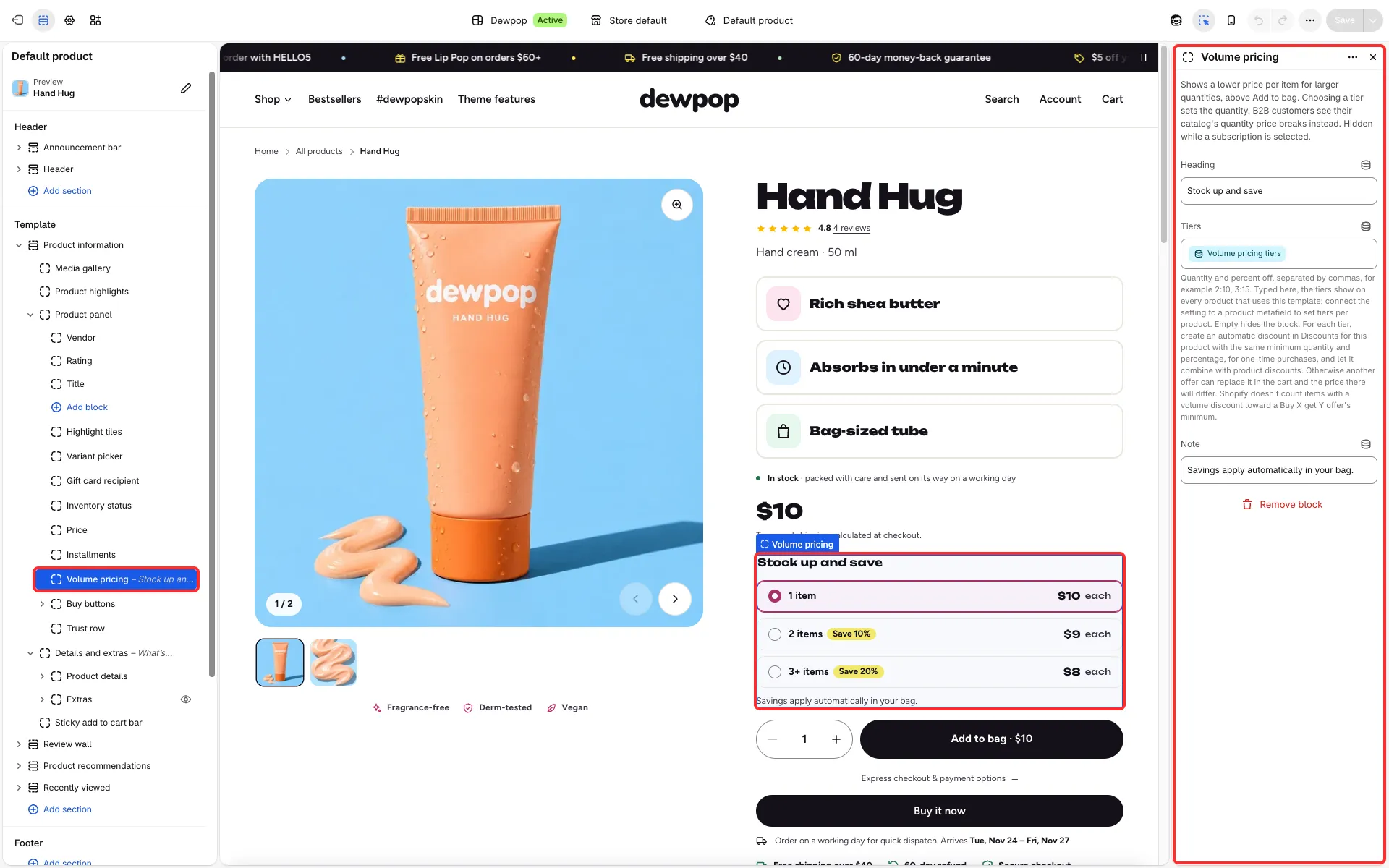
Main settings
Section titled “Main settings”- Volume pricing block: Heading, Tiers and Note.
- Tiers: quantity and percent pairs,
2:10, 3:15, or connect the setting to a product metafield to give each product its own tiers. Empty hides the block.
Good to know
Section titled “Good to know”- The theme only shows the prices. For each tier create an automatic discount in Discounts for this product with the same minimum quantity and percentage, for one-time purchases, and let it combine with product discounts. Let your discount codes combine with product discounts too; otherwise another offer or code can replace the tier price in the cart.
- Tiers typed into the block show on every product that uses the template. Type them only into a template for products that all have the matching discount, and use the metafield otherwise.
- Choosing a tier sets the quantity, and the add button and the sticky bar show the total.
- Items with a volume discount don’t count toward a Buy X get Y minimum. B2B customers see their catalog’s quantity price breaks instead, and the block hides while a subscription is chosen.