Buy buttons, stock and delivery
The blocks that handle buying: quantity and add to cart, stock messages, delivery promise and store pickup.
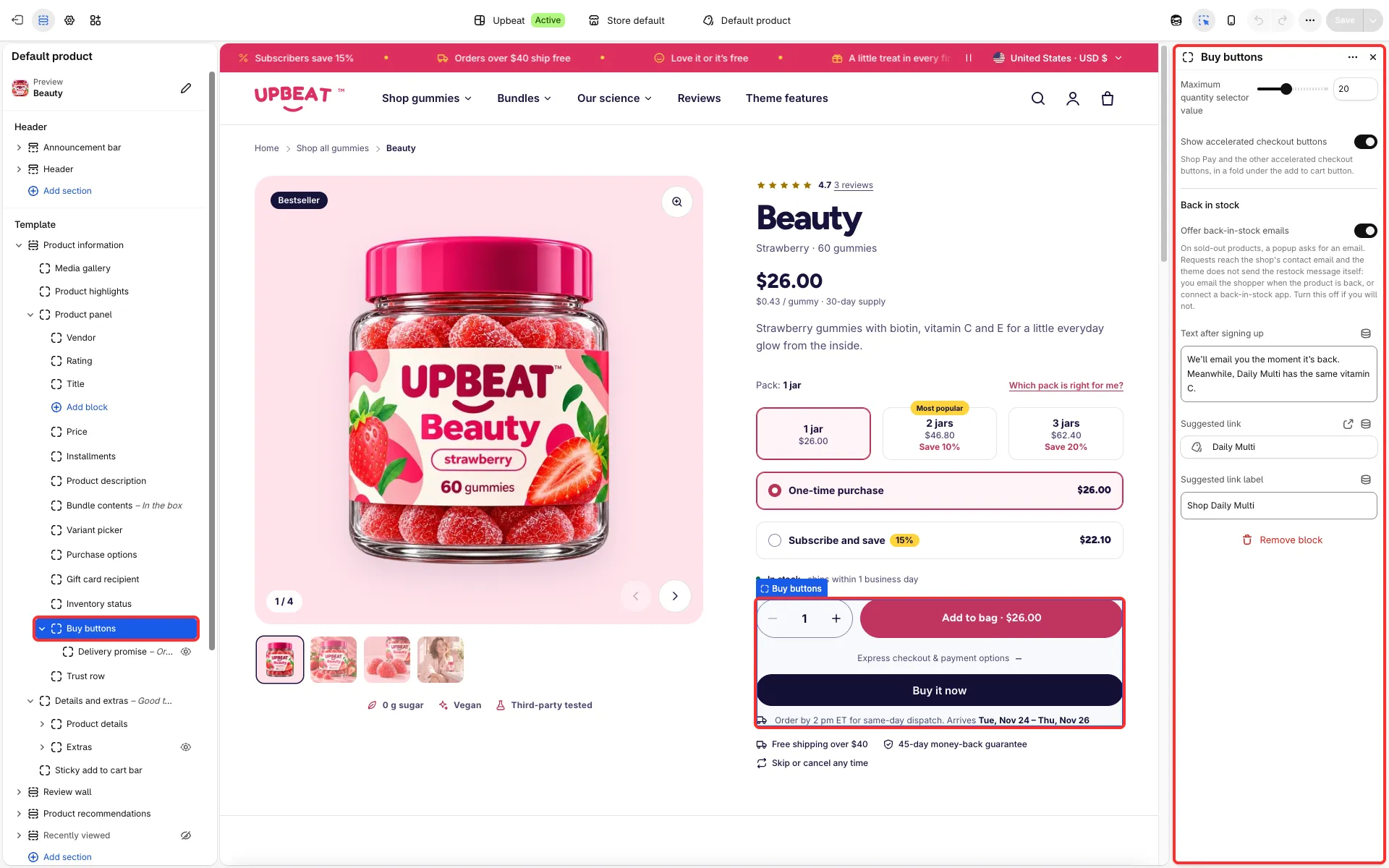
Main settings
Section titled “Main settings”- Buy buttons: Maximum quantity selector value, Show accelerated checkout buttons (Shop Pay, Apple Pay and others) and a Back in stock group (Offer back-in-stock emails, Text after signing up, Suggested link, Suggested link label).
- Inventory status: Dispatch note, Show low stock at or below, Sold out note, Pre-order note and Gift card note.
- Delivery promise: Text, Earliest arrival in business days and Latest arrival in business days.
- Pickup availability: Text when pickup is unavailable.
- Trust row: three icons with a text each.
Good to know
Section titled “Good to know”- Pre-order note shows when the variant tracks inventory, has no stock left and has Continue selling when out of stock turned on. The ship date can come from the
custom.ships_onmetafield. - Delivery promise uses the business-day range you enter; it is not a live carrier estimate.
- Back-in-stock requests reach the store as a contact form message; send the follow-up yourself.
- The quantity stepper follows Shopify quantity rules (minimum, increment, maximum), minus what is already in the cart, and stops at the stock left. When no more fit, the add button is disabled with a note under it.
- Pickup availability shows for an available physical variant stocked at a location with Pickup in store turned on (Settings → Shipping and delivery → Pickup in store). The location needs a full street address in Settings → Locations.
- The Sticky add to cart bar slides up once the buy area has scrolled out of view and hides near the footer. It shows the chosen variant (with its image from 768 px), whether it is a subscription, and the price. Show the bar after scrolling past the buy button turns it on or off.