Header
The logo, the main menu, search, account and cart, on every page. It sits in the header group with the announcement bar.
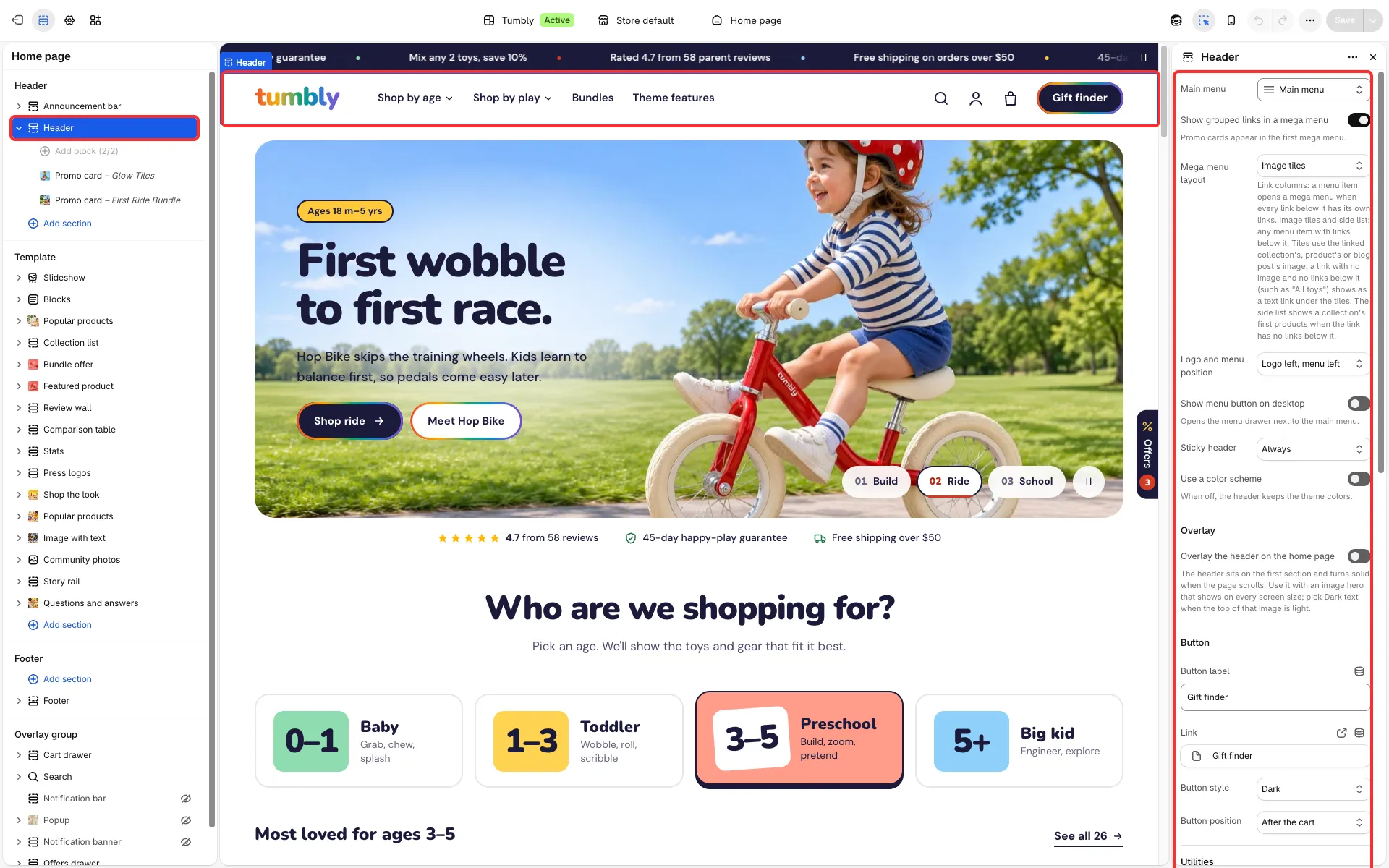
Main settings
Section titled “Main settings”- Main menu, and Show grouped links in a mega menu (see Mega menu and menu drawer).
- Logo and menu position: logo left with the menu left or centered, logo centered with the menu left, or logo centered with the menu in the drawer. Show menu button on desktop.
- Sticky header: None, On scroll up or Always.
- Use a color scheme: gives the header its own color scheme (off by default).
- Overlay the header on the home page: it sits over the home page’s first section and turns solid when the page scrolls. Overlay text color sets light or dark text over the image.
- Button group: Button label, Link, Button style and Button position (before the icons or after the cart).
- Search, account and cart: Icons, or Text (the words Search, Account and Cart, with the item count in brackets) on screens 768 px and wider; phones keep the icons.
- Show country selector and Show language selector.
Good to know
Section titled “Good to know”- The account button opens Shopify’s own sign-in. Keep the new customer accounts on in Settings → Customer accounts.
- When the menu does not fit on one row, the header first tries it without its button and, if it still does not fit, folds the menu into the drawer (the button comes back where there is room), so the menu never wraps onto two lines.
- The logo itself is set in Logo and favicon; Header style is in Layout.