Mega menu and menu drawer
Large drop-down panels for menu items with many links, and the slide-out menu on phones. Build the menu in Content → Menus with nested links, then pick it in the header.
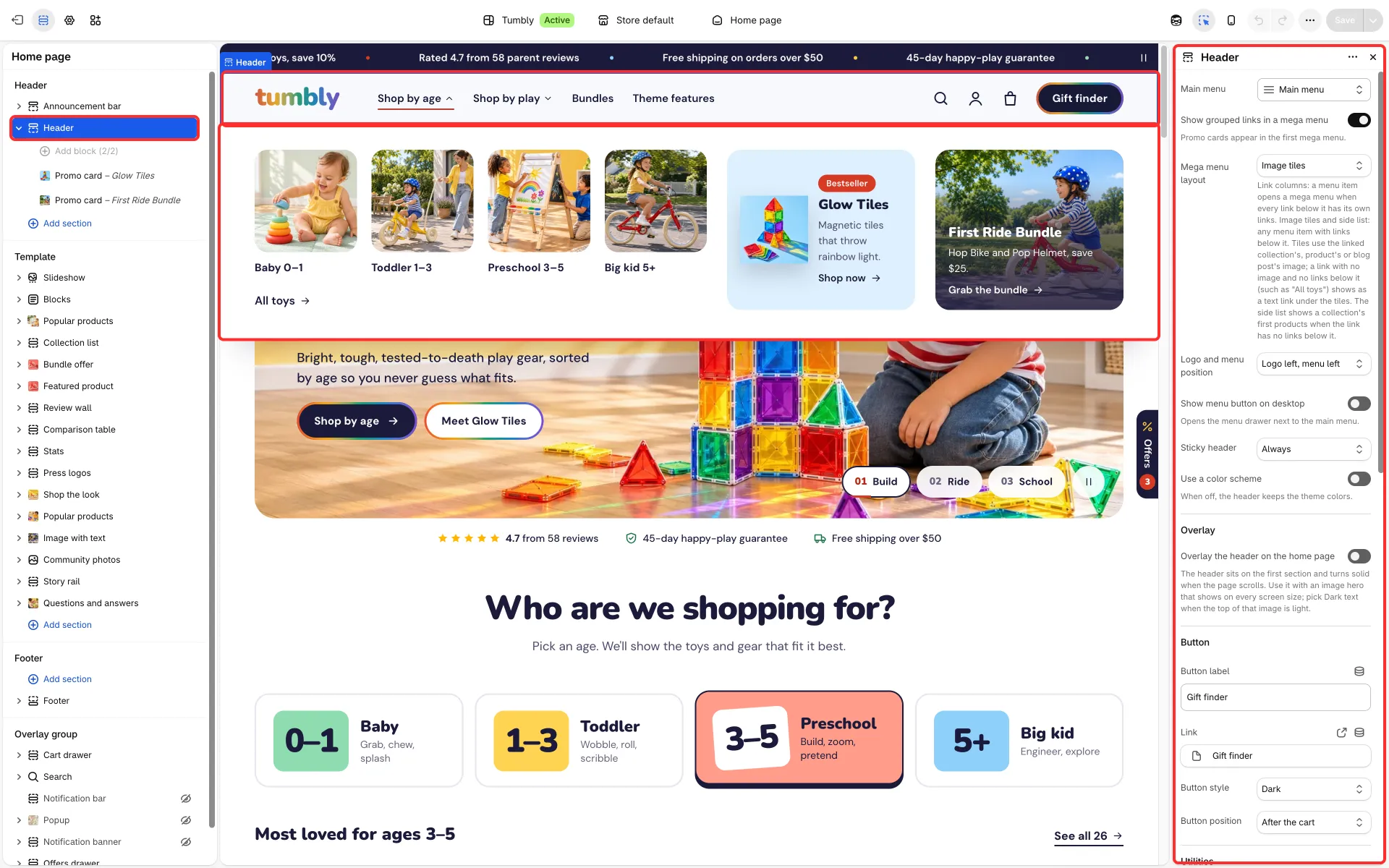
Mega menu
Section titled “Mega menu”- Mega menu layout:
- Link columns: a menu item opens a mega menu when every link below it has links of its own.
- Image tiles: each link as a picture tile (Tumbly).
- Side list: links on the left; the right side shows the open link’s own links or, for a collection link without links below it, the collection’s first products. A link that has no links below it and is not a collection, such as “Shop all”, shows as a plain link under the list.
- For tiles and the side list, any menu item with links below it opens a mega menu. Pictures come from what the link points to: the collection’s, product’s or blog post’s image. A link with no image and no links below it (such as “All toys”) shows as a text link under the tiles.
- Promo card blocks of the header show in the first mega menu (Style, Image, Tint, Badge, Heading, Text, Link label, Link). With Link columns, Promo cards position puts them before or after the links.
Dropdowns
Section titled “Dropdowns”Menu items that do not open a mega menu but have links below them open a dropdown, and a link with its own links opens a third-level list beside it. Near the right edge of the window the dropdown and the third-level list open towards the left. A third-level list, or a dropdown without third-level lists, that is taller than the window scrolls inside it; keep dropdowns with third-level lists short enough for small laptop screens.
Menu drawer
Section titled “Menu drawer”- Drawer menu and Customer account menu.
- Menu pictures: None, Thumbnails and collection cards, or Thumbnails and top products: a small picture by each first-level collection or product link and, in a submenu, cards for its links or the collection’s first four products. A collection shows its own image, else its first product’s.
- Promo image, Promo heading, Promo text and Promo link.
- Show country and language selectors and Show social media links.