Shop the look
One photo with dots on it: each dot opens a card with its product. Use it for a styled room, an outfit or a shelf of products.
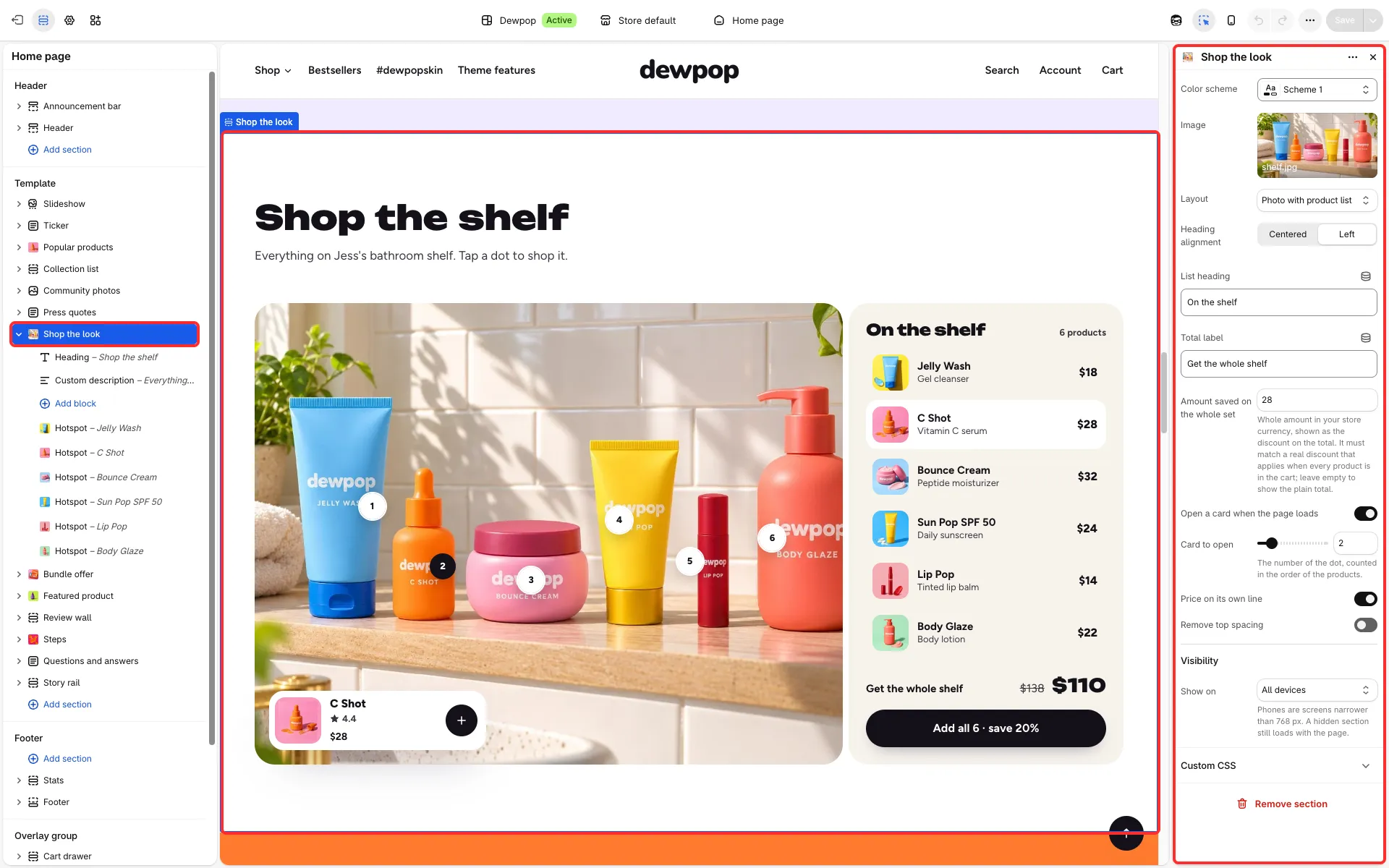
Main settings
Section titled “Main settings”- Image.
- Layout: Contained, Full width or Photo with product list.
- Heading alignment, Price on its own line and Remove top spacing.
- Open a card when the page loads and Card to open: which dot’s card starts open.
- For Photo with product list: List heading, Total label and Amount saved on the whole set.
- Each Hotspot block: Product; Title, Text, Thumbnail and Link, which default to the product’s own; Horizontal position, Vertical position, Product card (below or above the dot) and optional positions on mobile (empty uses the desktop position).
Shop the shelf
Section titled “Shop the shelf”Layout: Photo with product list shows numbered dots on one photo, a side list of the dots’ products with a total, and a button that adds them all. Amount saved on the whole set is a whole amount in your store currency and must match a real discount that applies when every product is in the cart; leave it empty to show the plain total.
Good to know
Section titled “Good to know”- Gift cards, products with a custom field and products sold only on subscription link to their product page and are left out of the add-all button.