About the overlay group
Popups, drawers and bars that sit over the page live in the Overlay group, shared by every page. Only overlay sections can go into it, and they can’t be added to a template.
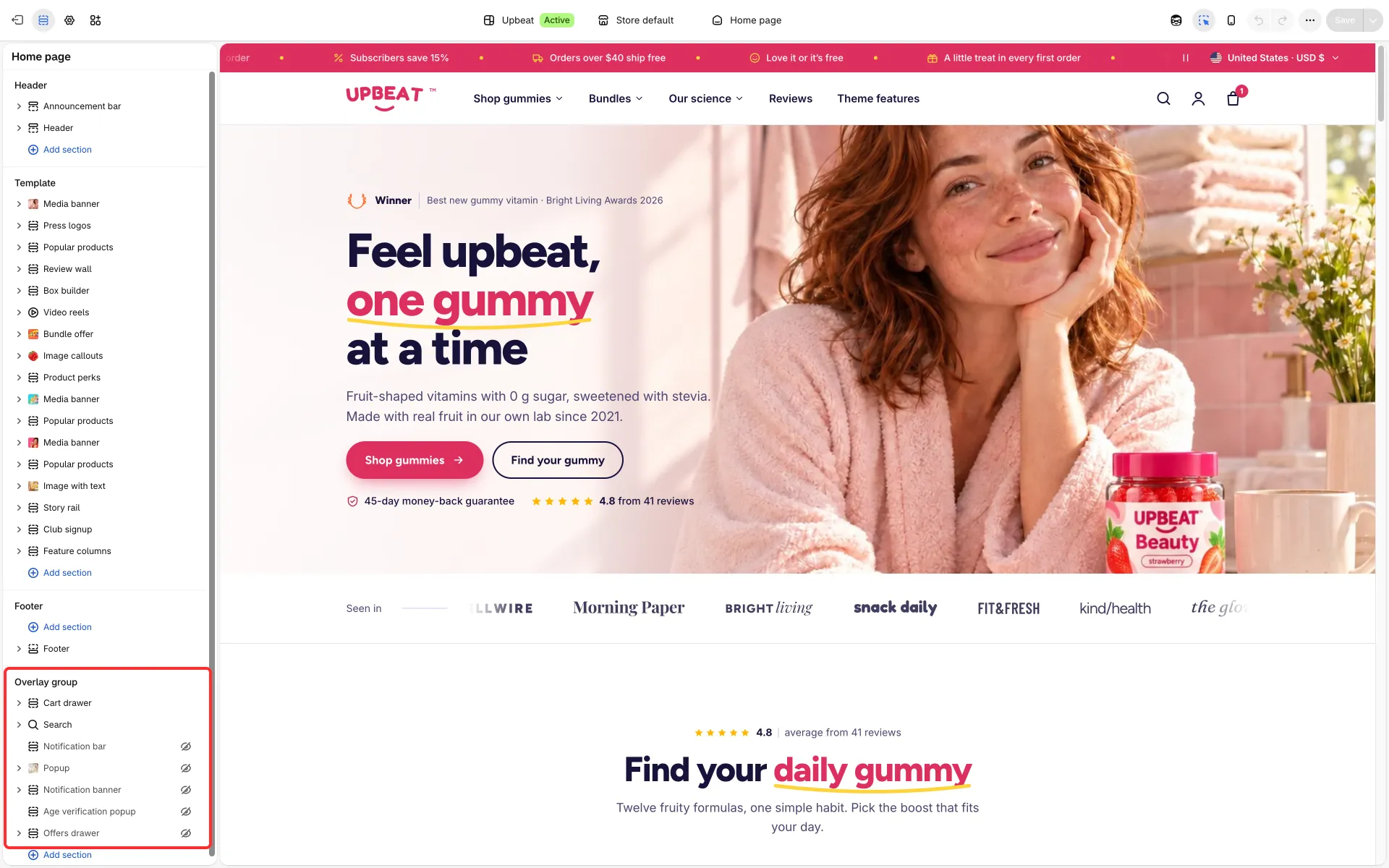
What is in it
Section titled “What is in it”- Popup: a newsletter popup.
- Age verification popup.
- Notification bar: a notice or cookie consent bar.
- Notification banner: a corner notice.
- Offers drawer: your current offers and codes.
- Search: the search overlay.
- The cart drawer: see Cart drawer, page and notification.
Shown and hidden
Section titled “Shown and hidden”- The Popup, Age verification popup, Notification bar, Notification banner and Offers drawer ship hidden (the crossed-eye icon in the editor’s section list), so a new store shows no popup to its first visitors. The one exception is the Offers drawer in Tumbly, which is shown as in its demo: replace its sample offers with yours, or hide it.
- The Age verification popup comes installed only in Upbeat; in Tumbly and Dewpop add it with Add section in the overlay group if you need it.
- Click the eye to show one. A hidden overlay shows nothing in the preview, and its settings say so.
- While a shown overlay is selected in the editor, the preview opens it (the Offers drawer opens too, and again when you select one of its offer codes).
Discount codes
Section titled “Discount codes”The welcome code and the offer codes are text you type. Create the matching discounts in Discounts first, so the codes work at checkout.