Contact form
A contact form with name, email, phone and message, beside an intro or on its own. Use it on your contact page.
Main settings
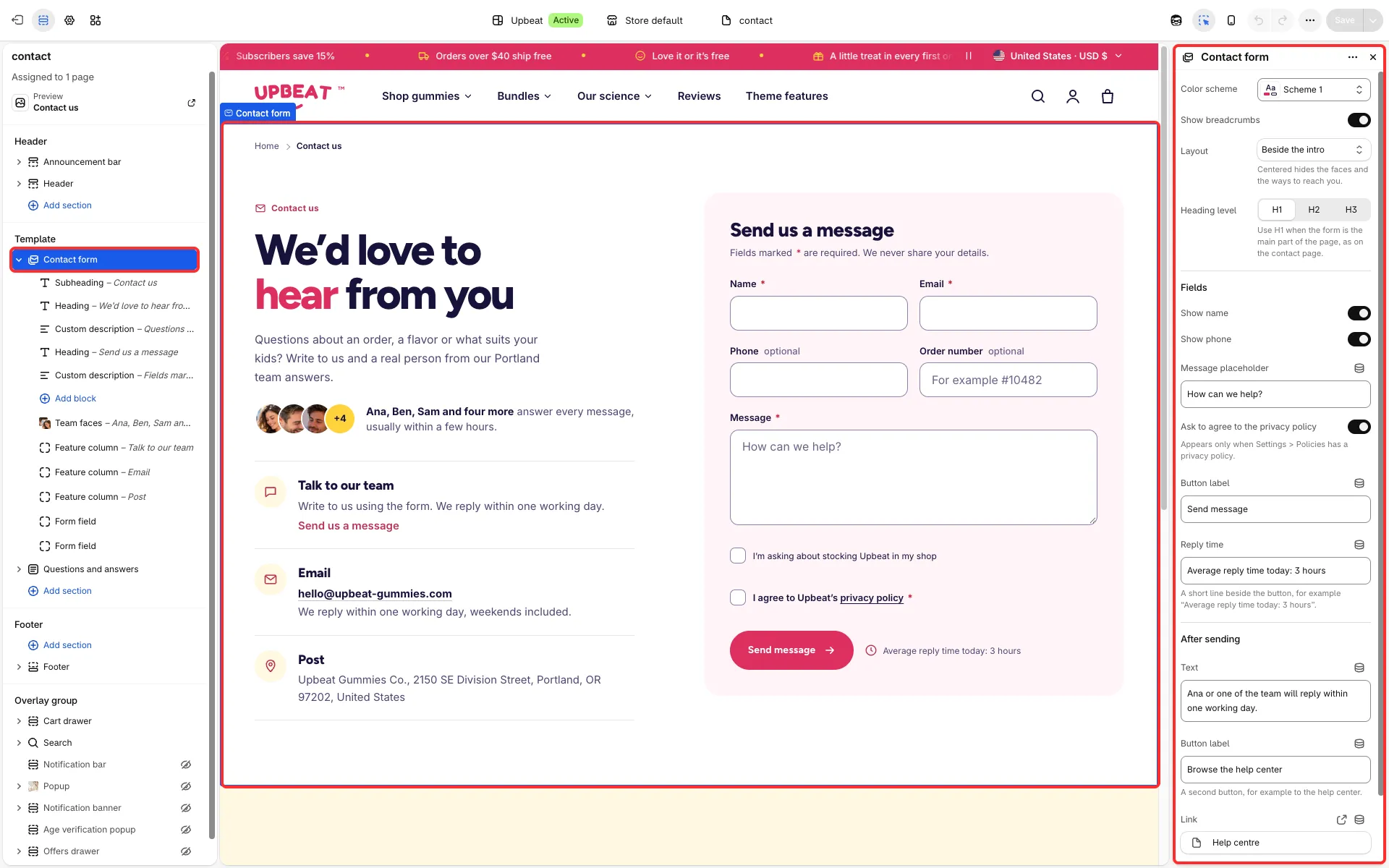
Section titled “Main settings”- Layout: Beside the intro or Form only, centered.
- Fields group: Show name, Show phone, Message placeholder, Ask to agree to the privacy policy, Button label and Reply time.
- After sending group: the Text, Button label and Link shown once the message is sent.
- Show breadcrumbs and Heading level.
- Blocks: Form field (Type: text, number, several lines of text or a checkbox; Label, Placeholder, Require an answer), Team faces and Feature column.
Good to know
Section titled “Good to know”- The demo adds an order number field and a stockist checkbox with Form field blocks.
- Write a Reply time you really keep.
- This section has no Show on setting.