Custom fields and personalized products
Asks the shopper for a name to engrave, a delivery note, a checkbox or a photo before they add a product to the cart. Use it for personalized products.
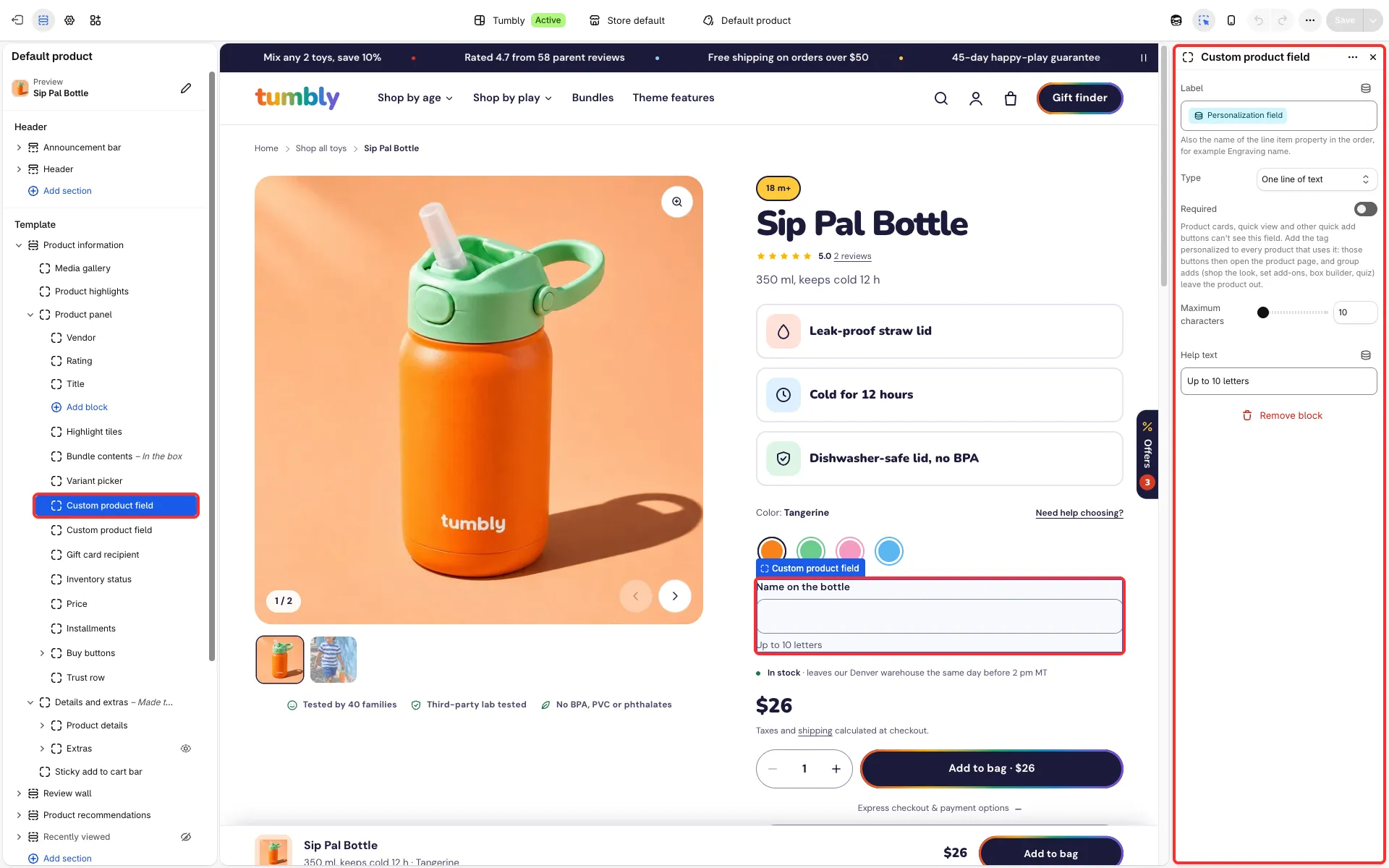
Main settings
Section titled “Main settings”- Custom product field block: Label, Type (One line of text, Several lines of text, Checkbox or File upload), Files allowed (Images, Images and PDF or Any file), Required, Maximum characters and Help text.
Good to know
Section titled “Good to know”- The block stays hidden until it has a Label. The answer is saved with the item in the order; uploaded files are saved as a link.
- The block belongs to the product template, so once it has a label it shows on every product that uses that template. To ask only some products for it, give those products their own product template.
- Add the tag
personalizedto every product with a custom field. Quick add then opens the product page, and group adds (shop the look, box builder, quiz, add-ons in a product set) leave the product out; in the box builder its chip links to the product page. - Gift cards (they need a recipient) and products sold only on subscription (they need a plan) follow the same rule.
- While a field is required or filled in, the accelerated checkout buttons (Buy it now, Shop Pay and others) step aside, so the field always reaches the order.