Popup
A newsletter popup that opens after a delay, after scrolling or when the visitor is about to leave; after signing up it shows the welcome code you typed.
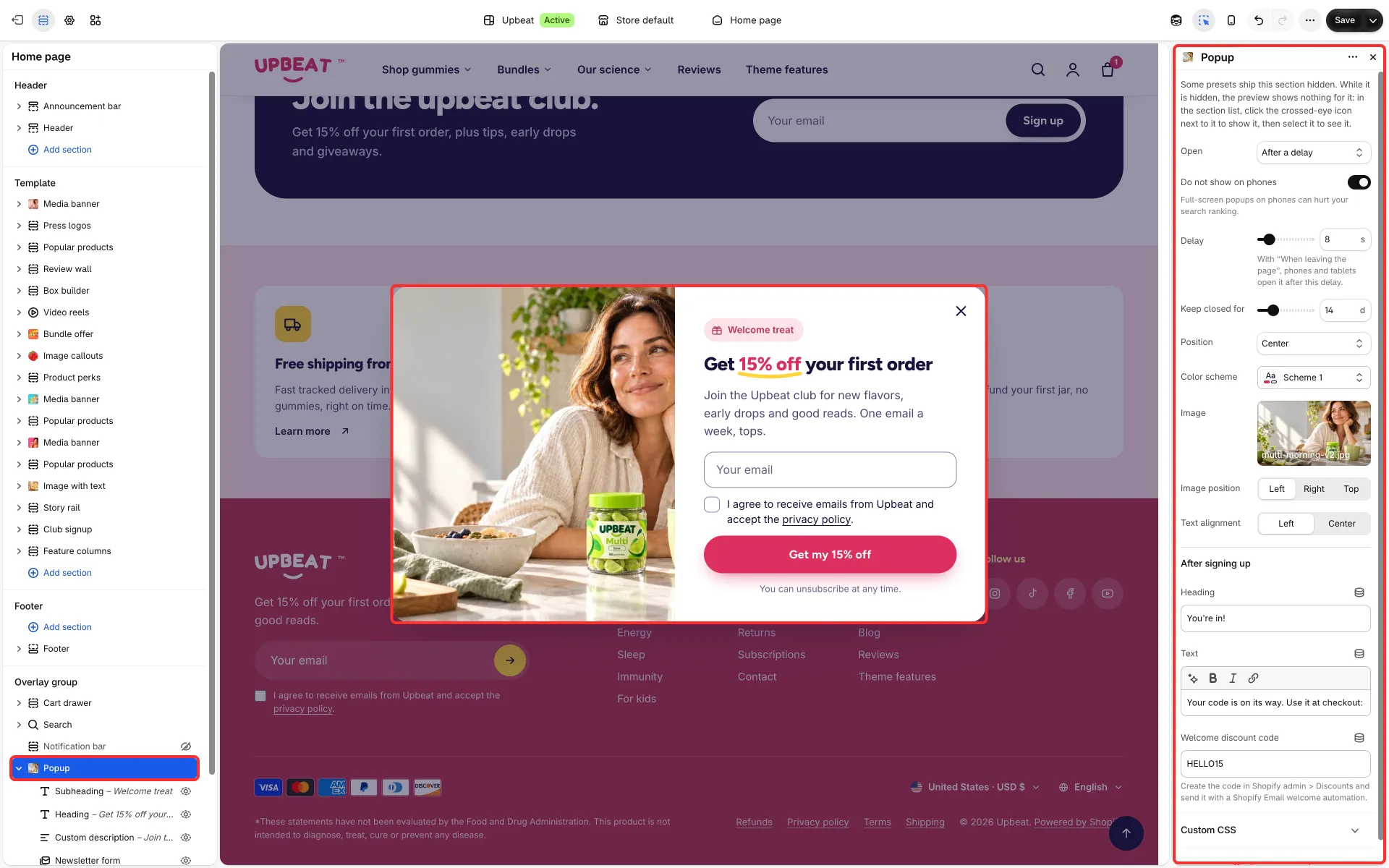
Main settings
Section titled “Main settings”- Open: After a delay (Delay), After scrolling (Scrolled down) or When leaving the page (on computers with a mouse).
- Do not show on phones and Keep closed for.
- Position: Center, Lower left corner, Lower right corner, Bar along the bottom or Full screen.
- Image, Image position (left, right or top; not for the bar) and Text alignment (left or center).
- After signing up group: Heading, Text and Welcome discount code.
- Fixed blocks: Subheading, Heading, Custom description and Newsletter form.
Good to know
Section titled “Good to know”- In a corner or as a bar the popup does not block the page: shoppers can keep scrolling and clicking, and it steps aside while a menu, the cart, search or another dialog is open.
- A popup that opens after a delay or after scrolling waits while a menu, a dropdown or another pop-over is open.
- It never opens on the cart page (you can still edit it there in the editor).
- Without an image the popup is narrower and holds only text (the full-screen position stays full width).
- Create the welcome code in Discounts first. The section ships hidden: see About the overlay group.