Collection list
Your collections as cards in a grid, a carousel or a bento layout. Use it to show the main ways into your catalog, for example by category, by concern or by age.
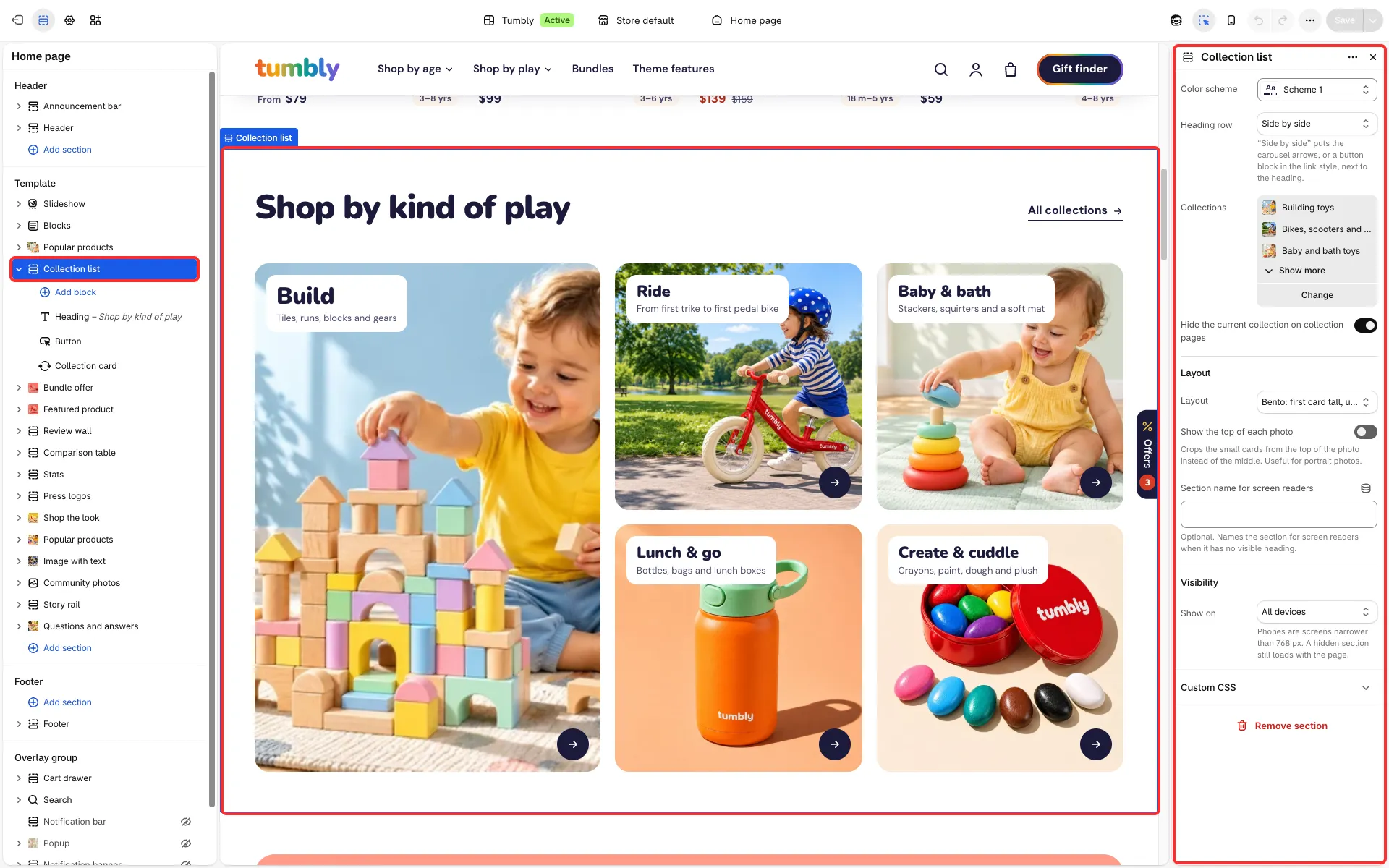
Main settings
Section titled “Main settings”- Collections: the collections to show.
- Layout: Grid, Carousel or Bento: first card tall, up to five cards; Show the top of each photo for bento cards.
- Heading row, Cards per row on desktop, Show carousel arrows, Show dots, Loop back to the start and Autoplay delay.
- Hide the current collection on collection pages.
- Collection card block: Image shape, Show product count, Show description and Short title (the collection’s short menu name from
custom.nav_titleinstead of its title). - Blocks in the heading row: Subheading, Heading, Custom description and Button.
Good to know
Section titled “Good to know”- Until you pick collections, the section shows sample cards (“Collection title”). It shows them to shoppers only on the home page and on pages; on the cart, collection, product, search and 404 pages and in blog posts it stays hidden from shoppers and shows the sample cards only in the theme editor.
- Bento cards show the collection’s
custom.summarymetafield as their second line. - Its presets are Collection list carousel and Collection list grid.