Popular products
A row or grid of products, picked by hand or from a collection, with optional filter tabs. Use it for best sellers, new arrivals, or shopping by age, type or tag.
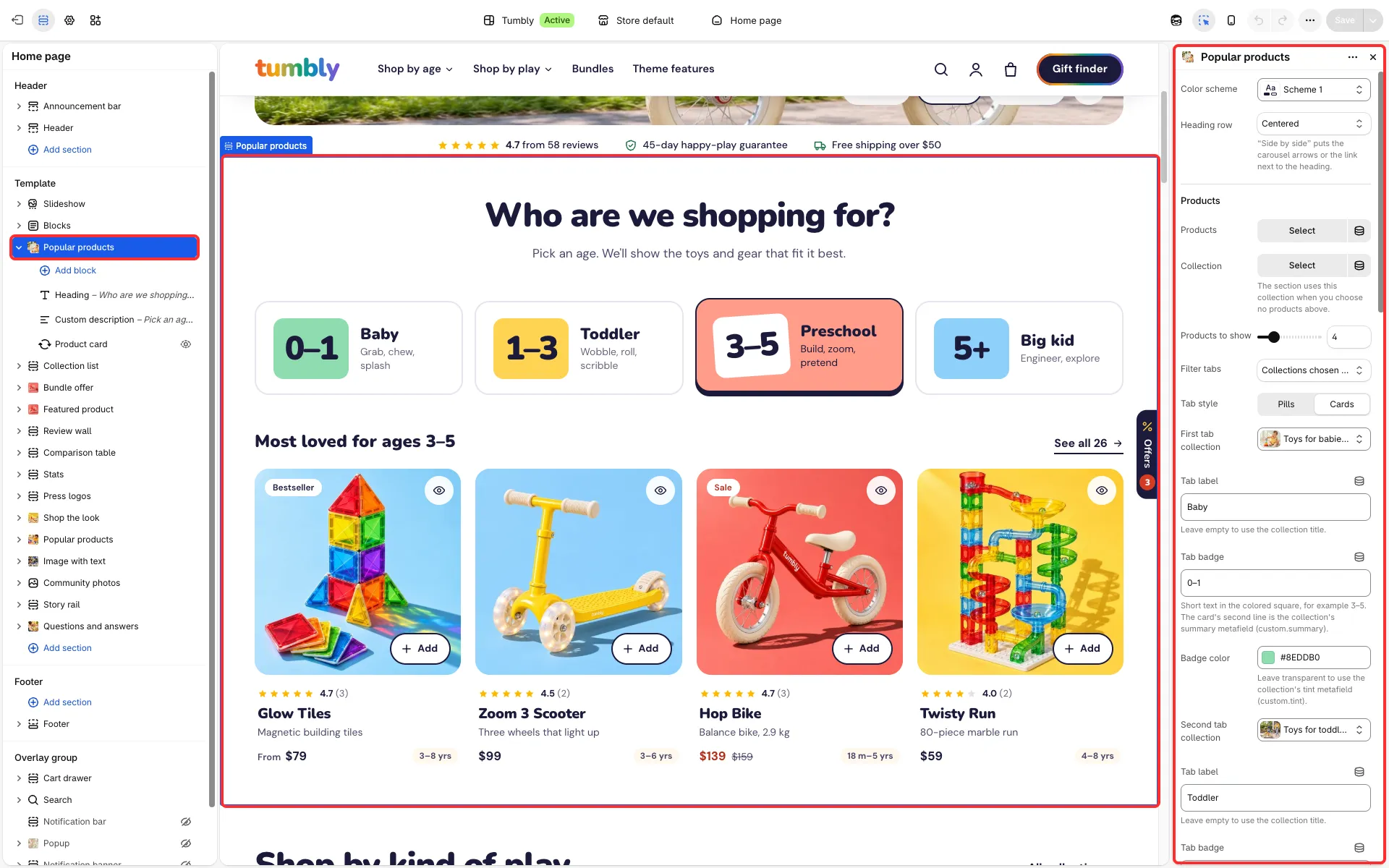
Main settings
Section titled “Main settings”- Products or Collection, and Products to show.
- Filter tabs: none, collections chosen below, product type or product tag (Tag prefix keeps only tags that start with it, for example “goal:”). Show an “All” tab and Tab open on load.
- Tab style: Pills or Cards; cards use each tab’s Tab badge and Badge color.
- Text above the products and Show “See all” link with the product count.
- Layout: Grid or Carousel; Products per row on desktop and Products per row on mobile (1, 2, or Swipe row, next card peeks).
- Link label, Link and Link style.
- Show only when there is nothing to list: on collection pages it appears only when the collection has no products; on search results, before a search and when the search finds nothing.
- Remove top spacing and Shrink bottom spacing.
- Product card block: Layout, Show a second photo on hover, Show rating, Show related products as color dots, Show unit price and Show quick view button.
Shopping by age
Section titled “Shopping by age”The age picker on the Tumbly home page is this section with Tab style: Cards. Each tab is a collection (for example baby, toddler, preschool, big-kid); its Tab badge (for example 3–5) and Badge color fill the colored square, and the collection’s custom.summary metafield is the card’s second line. Text above the products shows a line such as “Most loved for ages [tab]”, and Show “See all” link with the product count adds a link to the open collection with its product count. Products show their age range next to the price from the custom.card_tag metafield. To let shoppers filter collections by age, add a product metafield for the age group and turn it on as a filter in the Search and Discovery app.
Good to know
Section titled “Good to know”- Until you pick products or a collection, the section shows sample cards (“Product title”, no price). It shows them to shoppers only on the home page and on pages; on the cart, collection, product, search and 404 pages and in blog posts it stays hidden from shoppers and shows the sample cards only in the theme editor.
- Show rating and Show unit price in the Product card block are off by default and also need the theme-wide switches in Product cards.
- Its presets are Popular products and Popular products carousel.