Blocks
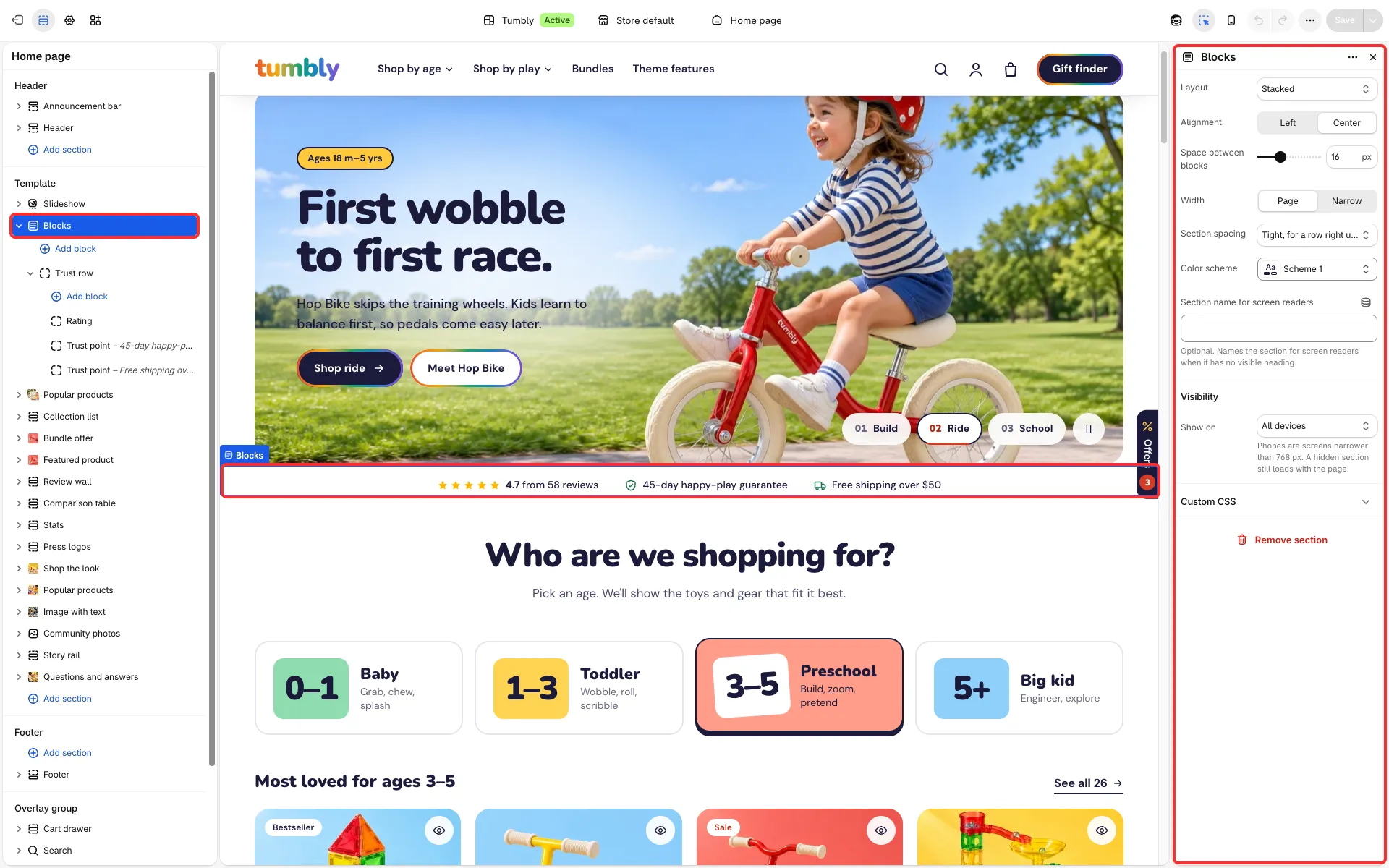
An empty row you build yourself from the theme’s own blocks and from app blocks. Use it for a heading with buttons, a row of trust lines, a checklist or any small mix that no other section gives you.
Main settings
Section titled “Main settings”- Layout: stacked, in a row, or a grid of two, three or four.
- Alignment: left or center.
- Space between blocks, Width (page or narrow) and Section spacing (tight, for a row right under the section above, small or default).
- Color scheme.
- Blocks: every theme block (see Theme blocks), app blocks and a Heading group.