Bundle offer
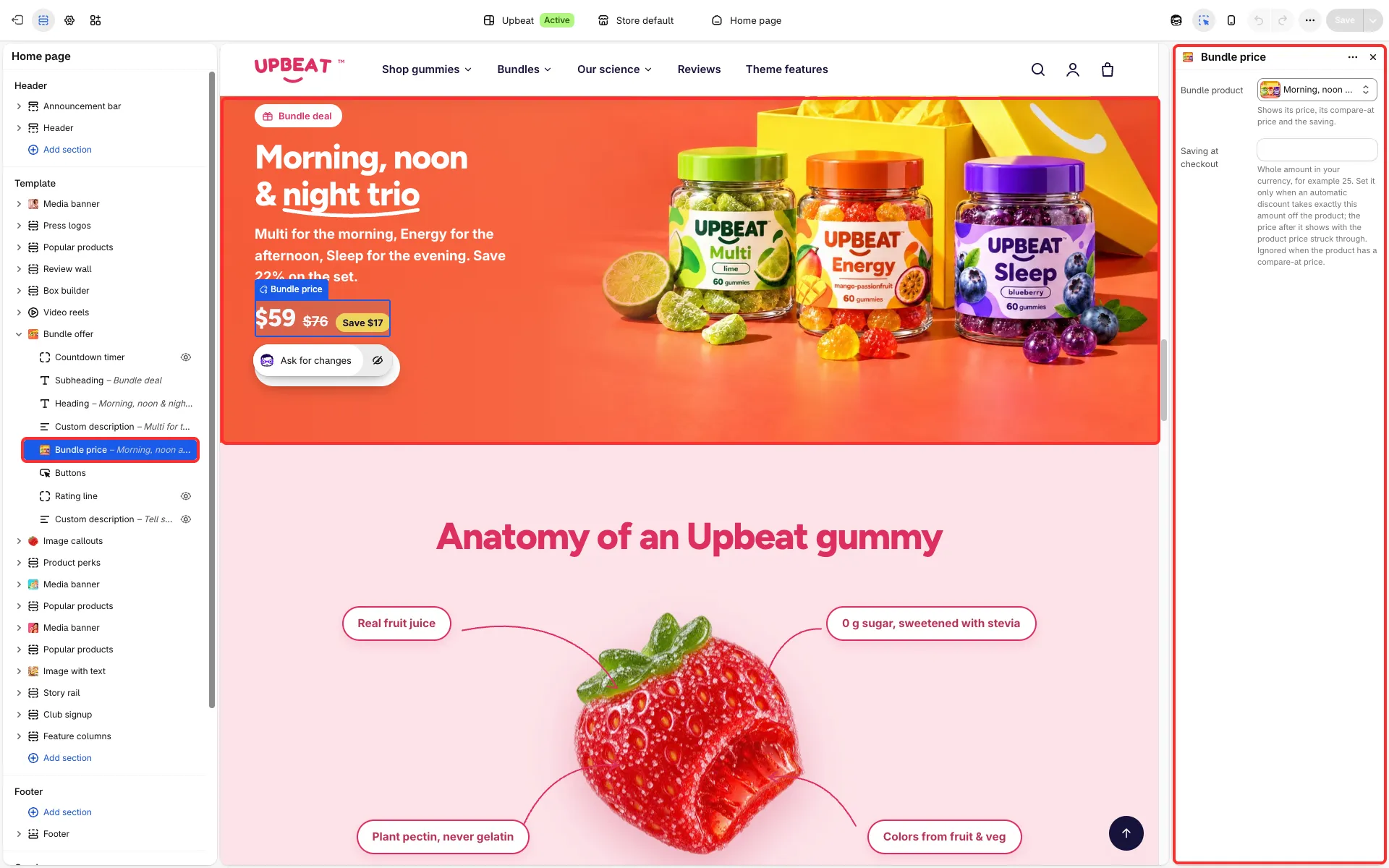
One bundle product with its price, compare-at price and saving, an image, a button and an optional countdown. Use it to push a set or a limited-time pack.
Main settings
Section titled “Main settings”- Layout: Wide banner over the image, Rounded card with the products or Photo and offer side by side.
- Background: a warm glow behind the text, or the color scheme only.
- Image and Sticker text (a round sticker on the photo, for Photo and offer side by side).
- Show countdown.
- Bundle price block: Bundle product and Saving at checkout.
Set it up
Section titled “Set it up”- Pick the bundle product in the Bundle price block, then an image and a heading. Set the button’s link in the button block.
- When an automatic discount takes exactly a fixed amount off the bundle at checkout, enter that amount in Saving at checkout (for example 25): the section then shows the price after the discount with the product price struck through. Leave it empty otherwise, so the page never promises a price checkout does not charge. It is ignored when the product has a compare-at price.
- If you show the countdown, set its End date to the end of your offer.
Good to know
Section titled “Good to know”- Rounded card with the products puts the text in a rounded card with photos of the first two products in the bundle product’s
custom.bundle_itemsmetafield, tilted side by side. Without bundle products the card shows the image. - When the countdown ends, the section hides its price and buttons and shows your end message. See Countdown timer.
- The coral color scheme the demo uses is readable only for large text. See Colors.