Gift wrap
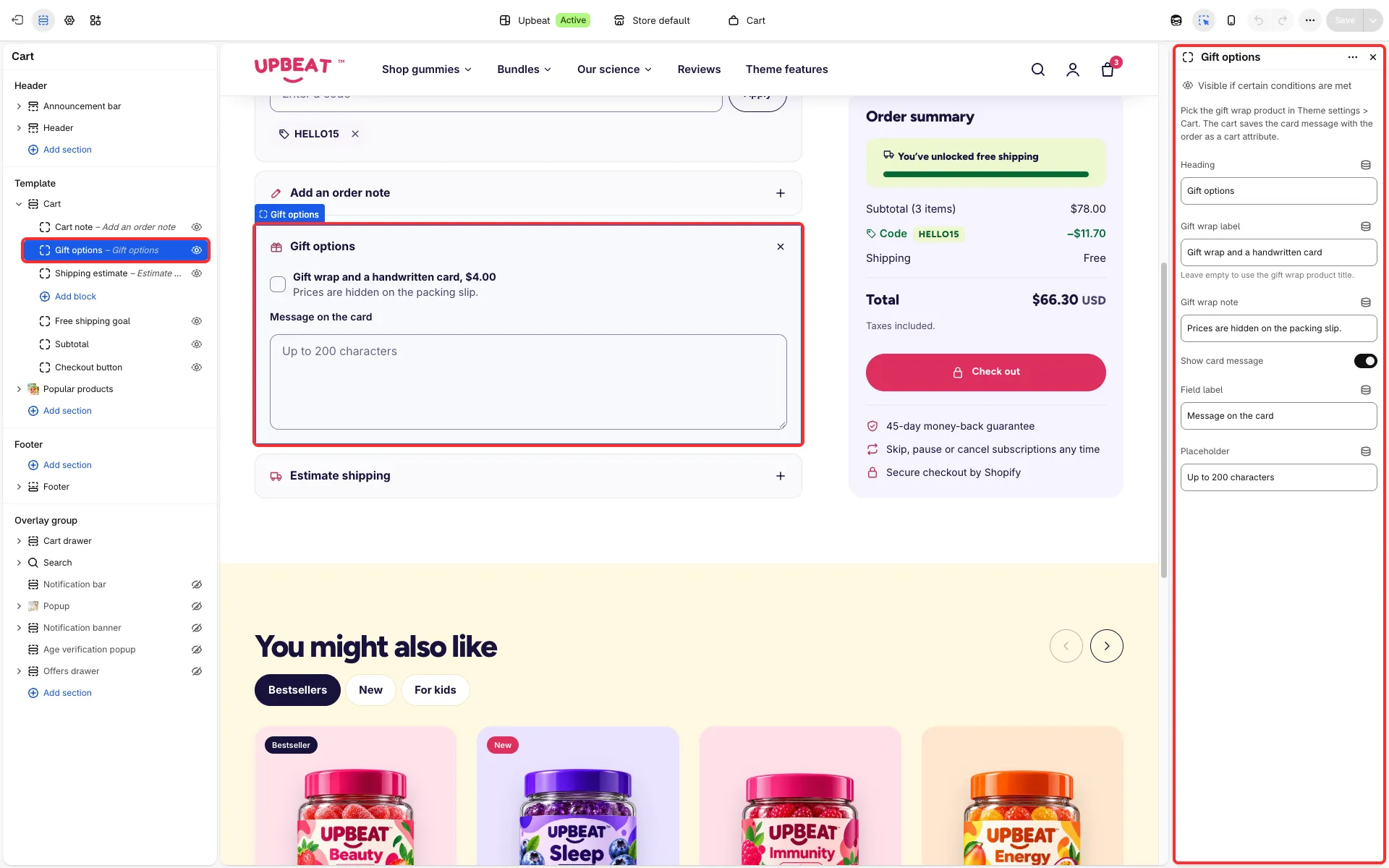
Lets shoppers add gift wrap and a gift note to an order, in the cart and on the product page.
Set it up
Section titled “Set it up”- Create a gift wrap product and hide it from search and collections.
- Pick it in Theme settings → Cart → Gift wrap product.
Main settings
Section titled “Main settings”- Gift options block (cart page): Heading, Gift wrap label, Gift wrap note, Show card message, Field label and Placeholder.
- Gift wrap and note block (product page, in an extras group): Heading, Subtitle, Gift wrap label, Note label and Note name in the order.
Good to know
Section titled “Good to know”- The gift wrap checkbox adds the gift wrap product as a Gift wrap row in the totals. It is not counted in the item count of the header, drawer and cart page, and is removed when no other product is left.
- The same product bought on its own, from its product page, is an ordinary line and counts.