Offers drawer
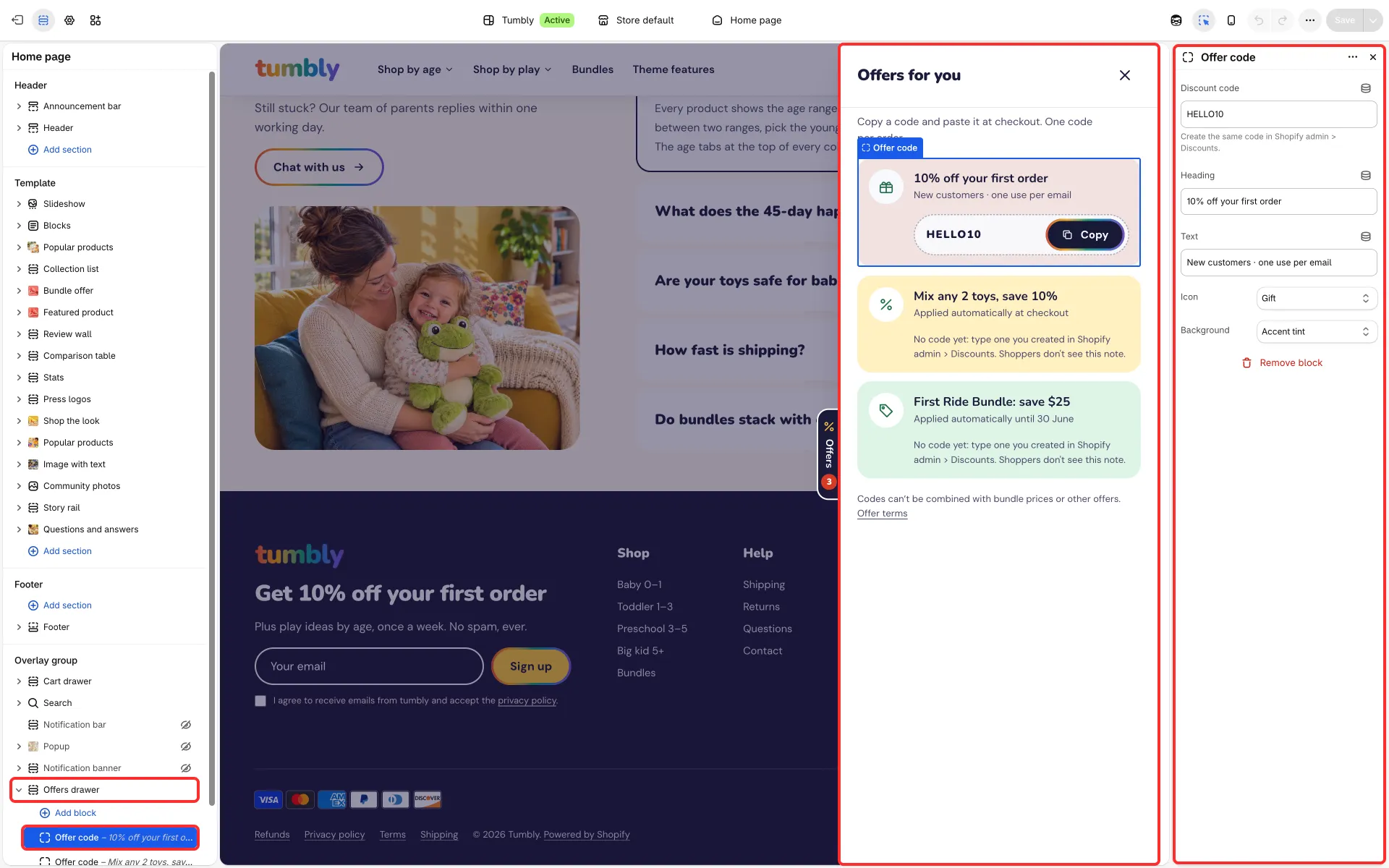
A side panel with your current offers and codes, opened from a floating Offers tab or from any link to #offers-drawer.
Main settings
Section titled “Main settings”- Show floating “Offers” button and Button label. Turn the button off if you link to the drawer yourself.
- Heading, Intro and Fine print.
- Link to terms of service and Terms link label.
- Each Offer code block: Discount code, Heading, Text, Icon and Background.
How it behaves
Section titled “How it behaves”- The button is a tab on the right edge of the screen, halfway down. On phones it is a narrow tab with the icon and the count, and the page’s side margin grows a little so the tab does not cover text.
- The drawer slides in from the right and the tab rides on its edge; a second click on the tab closes it. On screens narrower than 480 px, where the drawer fills the screen, the tab hides while the drawer is open.
- The tab also steps aside while another drawer, the search or a dialog is open.
Good to know
Section titled “Good to know”- A new offer starts without a code: until you type one, shoppers see only its heading and text, with no code and no copy button, and the theme editor shows a short reminder in its place.
- Create each code in Discounts first, so it works at checkout.
- In Tumbly the drawer is shown, as in its demo, with general cards such as Featured products and Offers at checkout: write your own offers or hide the section.