Product quiz
A few questions that lead to up to three product picks, with an add-all button. Use it as a gift finder, a skin quiz or any “find your product” page.
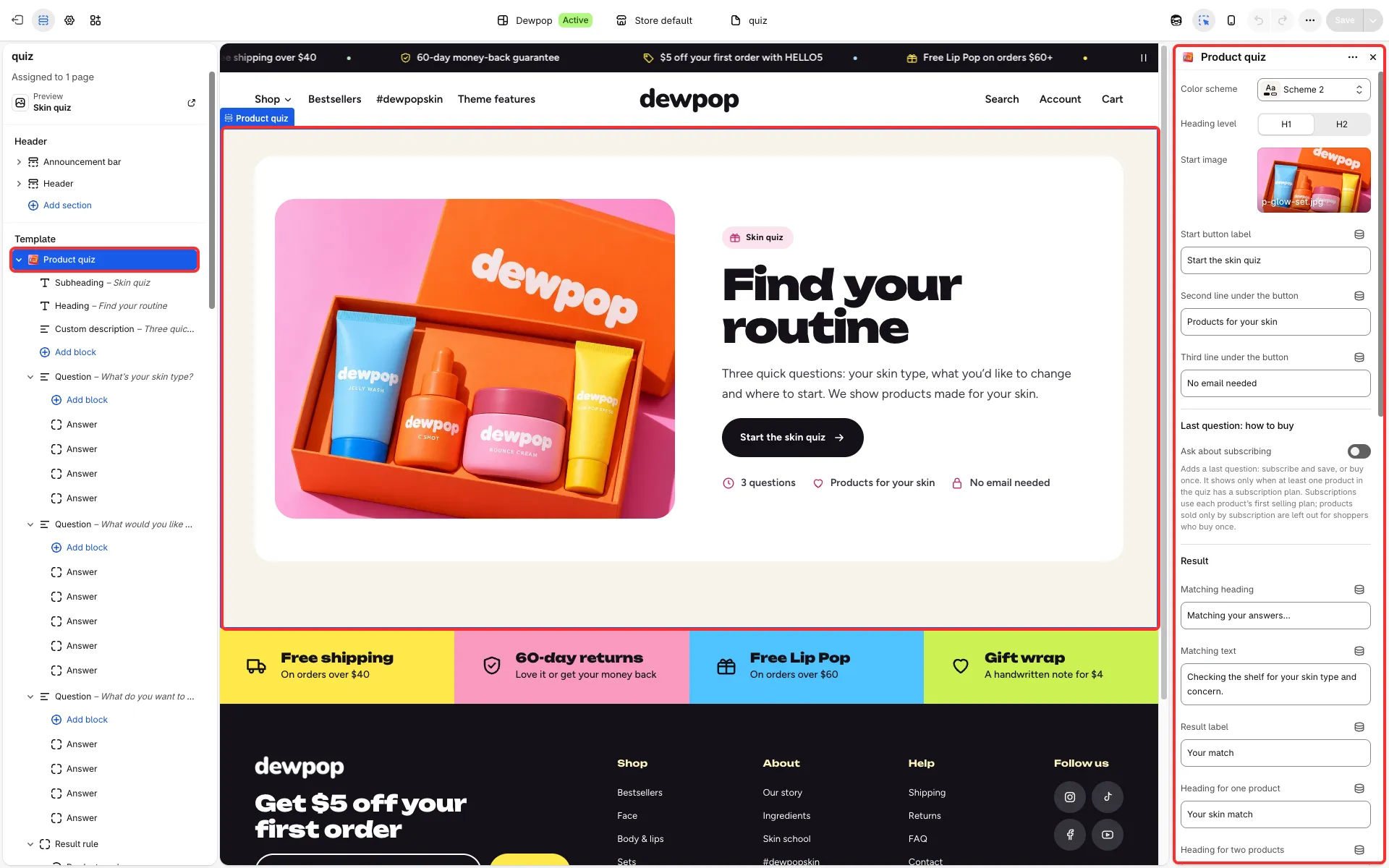
Main settings
Section titled “Main settings”- Start screen: Start image, Start button label and the lines under the button.
- Question blocks: Question, Hint, Allow several answers and Maximum answers. Each holds Answer blocks: Answer, Note, Icon, Value for result rules, Phrase in the result sentence and, for a budget question, Lowest price and Highest price.
- Result rule blocks: When the shopper chooses these answers, Products and Reason.
- Products when no rule matches and Result sentence when no rule matches.
- Ask about subscribing: a last question, subscribe or buy once.
- Result texts: Heading for one product, Heading for two products, Heading for three products and the total texts for one, two and three products.
- Show ratings on picks.
Set it up
Section titled “Set it up”- Add Question blocks with Answer blocks and give each answer a Value for result rules.
- Add Result rule blocks. A rule matches when every value in it was chosen, for example
dry, dullness. Pick the products for each rule. - Pick Products when no rule matches.
- For a budget question, fill in Lowest price and Highest price on each answer, in your store’s currency, both ends included; leave one empty for no limit.
How the result is chosen
Section titled “How the result is chosen”- The quiz shows up to three available products from the matching rules, or your fallback products when none match. Without fallback products it uses products from the first 50 of All products: the first six, plus, for budget answers, up to three products in each budget’s price range and, when two budget ranges overlap, in the overlap.
- With a budget question, the result only shows products whose price is inside the chosen range, also when it falls back to your fallback products or to All products, so it can show fewer than three, and says so when nothing fits. If the question allows several answers, a product may fit any of the picked budgets.
- Shoppers who pay in another currency get the range converted at Shopify’s rate, so a price right at the edge may land on either side after rounding. Without fallback products, their candidates from All products are a sample spread across your prices rather than an exact match per budget.
Subscriptions in the quiz
Section titled “Subscriptions in the quiz”- The subscribe question shows only when at least one product the quiz can show has a subscription plan, so it stays hidden in a store without subscriptions. Subscriptions use each product’s first available plan.
- Shoppers who choose to buy once never get a subscription: products sold only by subscription are left out of their result. When the quiz does not ask, such products can still show, but the add-all button leaves them out and their card opens the product page.
- Shoppers who choose to subscribe but get picks without a plan are told the picks are one-time purchases.
Good to know
Section titled “Good to know”- The demo’s rules name the demo store’s products, which your store does not have. Until you pick your own products in each rule (and the price range of budget answers in your store currency), the quiz shows products from your All products collection for every answer.
- Show ratings on picks also needs Show product rating in Product cards.
- Products with a custom field (tag
personalized) are left out of the add-all button.