Featured product
One product that shoppers can buy straight from the section: images, price, options and the add button. Use it on the home page or a landing page for a hero product.
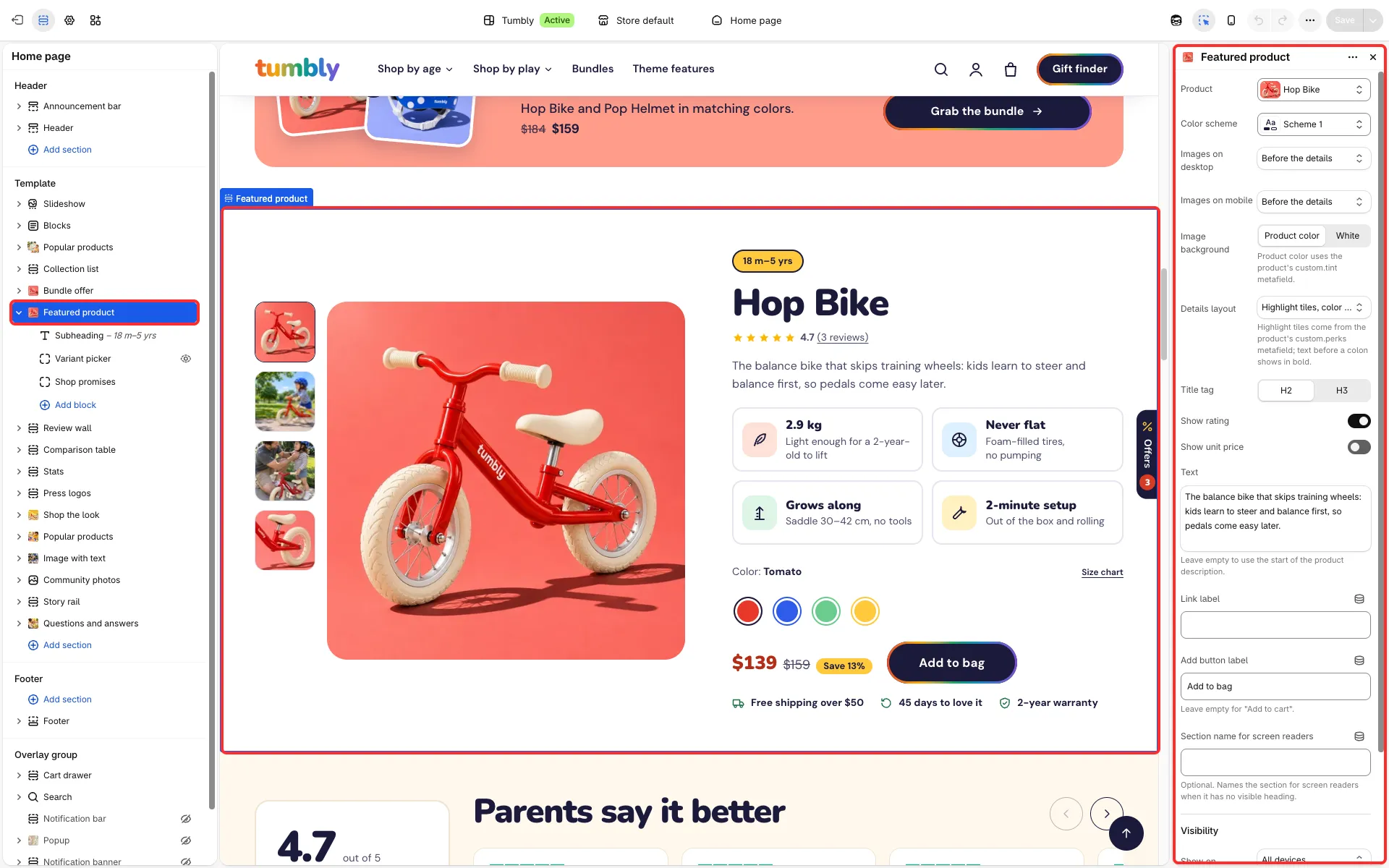
Main settings
Section titled “Main settings”- Product.
- Details layout: Price above the options, quantity picker, or Highlight tiles, color swatches, price beside the button (the product’s perks as tiles).
- Images on desktop and Images on mobile: before or after the details.
- Image background: the product’s color or white.
- Show rating, Show unit price, Text and Link label.
- Add button label: the button text, for example “Add to bag”; empty keeps “Add to cart”.
- Fixed blocks: Subheading, Variant picker and Shop promises. App blocks and Custom Liquid can be added.
Good to know
Section titled “Good to know”- The section can be added to any template.
- A combination of options that doesn’t exist shows “Unavailable” in place of the price. Products with more than 250 variants work: the store looks up each chosen combination, so a short wait can come before the price updates.
- Gift cards and products with a custom field (tag
personalized) show a Choose button instead of the add button, and products sold only on subscription a Choose a plan button. Both open the product page, so the shopper can fill in what the product needs there.