Cart drawer, page and notification
Chooses what happens when a shopper adds a product: a side drawer, a short notification or the full cart page.
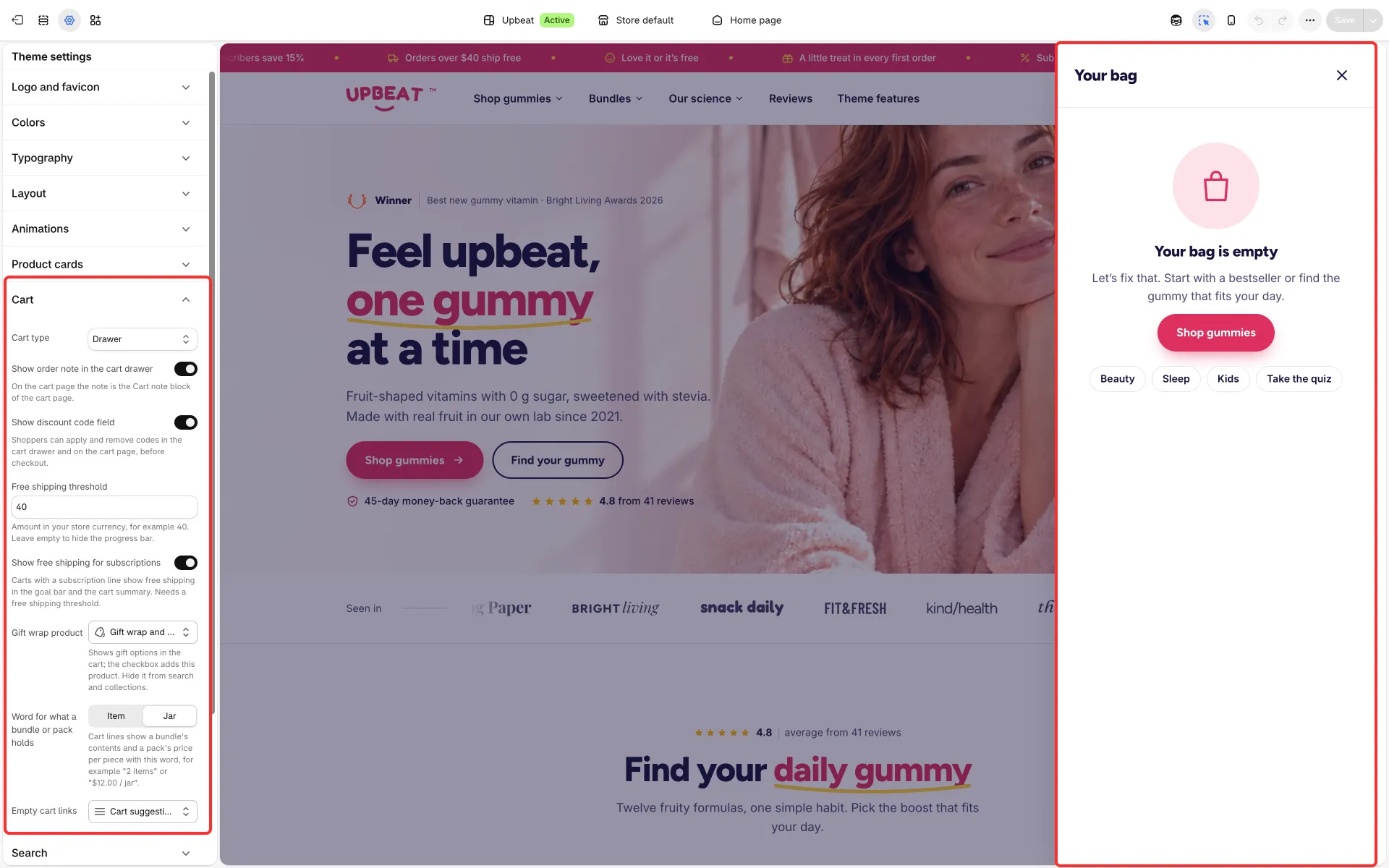
Main settings
Section titled “Main settings”- Theme settings → Cart → Cart type: Drawer opens the cart drawer, Notification shows a short confirmation with the product, Page opens the cart page.
- Cart drawer section: an Empty cart group with Text, Button label and Button link, and Recommendations blocks (Heading, Products, Products shown).
- Show order note in the cart drawer and Show discount code field in Cart settings.
- Cart notification section: shows the added product; it has no settings of its own.
Good to know
Section titled “Good to know”- The drawer has its own content and gift options; the cart page has its own blocks (see Cart page).
- Lines show their subscription plan under the product name.
- Lines also show Pre-order (with the date from
custom.ships_on) when a product sells past its stock, and a warning when a line holds more than you have in stock.